
A URL slug is defined as the final, human-readable segment of a web address that uniquely identifies a specific page or resource on a website. According to MDN Web Docs, a well-crafted slug is concise and descriptive, placed after the domain and any folder paths. For example, in https://example.com/blog/what-is-a-url-slug, the slug is what-is-a-url-slug. Content creators, web developers, and SEO professionals who understand slug structure gain a direct advantage in search rankings and user experience.
What is a URL slug and why does it matter?
A URL slug is the path segment that tells both users and search engines exactly what a page contains before they click. The slug sits at the end of a URL, after the domain name and any subfolder structure. Its primary purpose is usability: a clear, readable slug signals page content at a glance, which builds trust and improves click-through rates.
Search engines read slugs as strong relevance signals. Google’s crawlers parse the words in a slug to understand page context, which directly influences how a page ranks for related queries. A slug like seo-best-practices communicates topic relevance far more clearly than a slug like page?id=4821. The primary purpose of a slug is to enhance usability through human-readable clarity, not just serving as a technical SEO element.

Slugs also appear in browser tabs, social media previews, and email links. Every time someone shares your URL, the slug is visible. A descriptive slug reinforces your content’s credibility in every context where the link appears.
Why unique slugs are essential for your site
Unique slugs are mandatory in most content management systems. Duplicate slugs within the same URL hierarchy cause technical collisions that prevent browsers from resolving the correct resource. WordPress, for instance, automatically appends a numeric suffix to prevent duplicate slugs from breaking page resolution.
The consequences of slug collisions go beyond a broken page. Search engine crawlers cannot correctly index two pages sharing the same path. Users land on the wrong content. Internal links point to unintended destinations. These failures compound over time, eroding both rankings and user trust.
CMS platforms enforce slug uniqueness through several mechanisms:
- Automatic suffix appending: WordPress adds
-2,-3, and so on, when a duplicate slug is detected. - Validation alerts: Many CMS platforms flag duplicate slugs before publishing.
- Canonical tag enforcement: Properly configured canonical tags signal the preferred URL when near-duplicate slugs exist across subdomains or paginated content.
- Redirect rules: Administrators can set redirect rules to consolidate traffic from old or duplicate slugs to the correct canonical page.
Pro Tip: Before publishing any new page, search your CMS for existing slugs that match your intended one. A quick search saves you from silent indexing failures that are hard to diagnose weeks later.
How to create SEO-friendly URL slugs
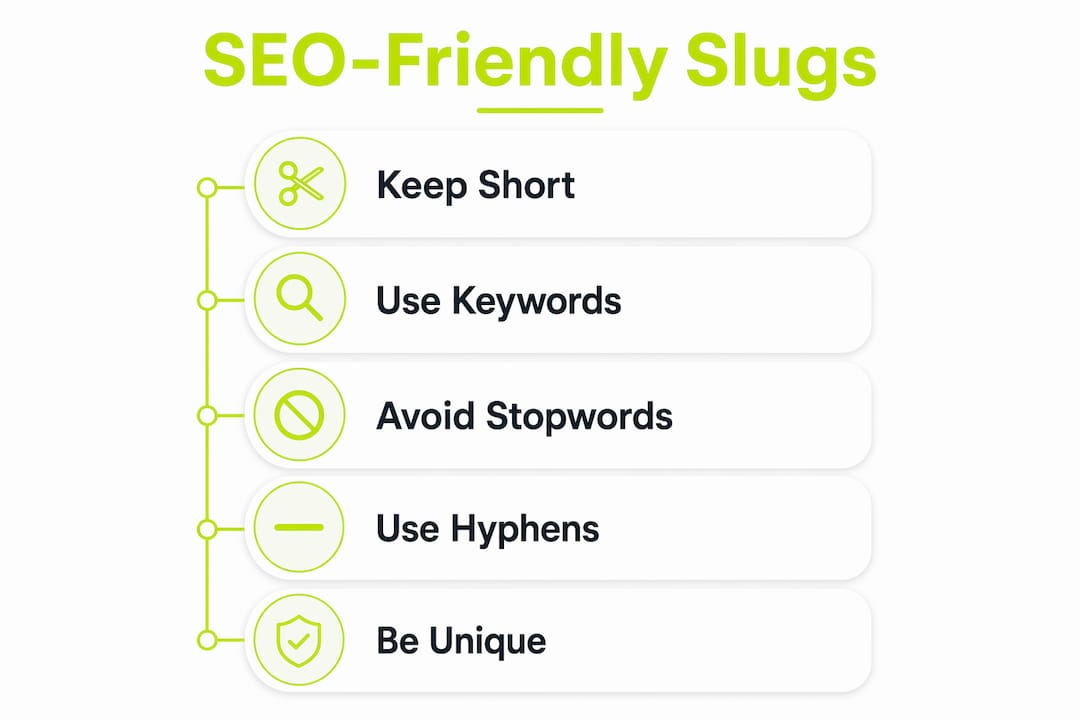
Creating a strong slug takes less than two minutes but pays dividends for the life of a page. SEO best practices for slugs include using lowercase letters, hyphens to separate words, and keeping slugs under five to six words. Research links cleaner, hyphenated slugs with better user engagement and crawler readability.
Follow these steps every time you create a new slug:
- Write the slug in lowercase. Uppercase letters can cause case-sensitivity issues on some servers, leading to duplicate content problems.
- Use hyphens, not underscores. Google treats hyphens as word separators. Underscores join words, so
seo_tipsreads as one word to crawlers. - Remove stop words. Words like “a,” “the,” “and,” and “of” add length without adding meaning.
best-practices-url-slugsbeatsthe-best-practices-for-url-slugs. - Keep it under six words. Shorter slugs are easier to read, share, and remember. They also display fully in most search result snippets.
- Avoid dates unless the content is time-sensitive. A slug like
seo-tips-2021becomes misleading and loses relevance quickly. Evergreen slugs age better. - Skip special characters. Symbols like
%,&,#, and?either break URLs or get encoded into unreadable strings.
Good vs. bad slug examples
| Page topic | Strong slug | Weak slug |
|---|---|---|
| SEO tips for beginners | seo-tips-beginners | page?id=112&cat=seo |
| How to bake sourdough bread | sourdough-bread-guide | how-to-bake-sourdough-bread-at-home-2021 |
| URL slug best practices | url-slug-best-practices | url_slug_Best_Practices_final |
| E-commerce product page | blue-running-shoes | product-category-item-sku-4821 |
Pro Tip: Treat your slug like a headline for your URL. If a stranger read only the slug, they should know exactly what the page covers. If they cannot, rewrite it.
Pairing clean slugs with vanity URL strategies amplifies both brand recognition and click-through rates, especially in paid campaigns and social media.
Common challenges with managing URL slugs
The biggest slug mistake content creators make is changing a slug after a page has been published. Changing a slug without a 301 redirect causes 404 errors, breaks backlinks, and strips the page of its accumulated SEO ranking power. Every external site linking to your old URL now sends users to a dead page.
A 301 redirect tells search engines that a page has permanently moved. It passes the majority of link equity from the old URL to the new one. Without it, you lose both traffic and the ranking signals built up over months or years.
Slugs and permalinks are related but distinct. The slug is the editable final segment of a URL. The permalink is the complete, fixed web address for a resource. CMS platforms like WordPress allow global permalink structure settings while also letting you customise individual slugs. Confusing the two leads to mismanaged redirects and broken site structures.
Slug management extends beyond posts and pages:
- Category slugs define the URL structure for entire content groups. A poorly named category slug like
cat-1creates messy URLs across dozens of posts. - Tag slugs follow the same logic. Inconsistent tag slugs fragment related content and confuse crawlers.
- Custom taxonomy slugs in WordPress require deliberate planning. Changing them after content is published triggers the same redirect requirements as post slugs.
Pro Tip: Audit your category and tag slugs before publishing your first 10 posts. Fixing them later requires bulk redirects and risks temporary ranking drops.
Changing slugs does not guarantee immediate ranking improvements. The risk of traffic loss often exceeds minor SEO gains unless the existing URL is unreadable or outdated. Weigh the benefit carefully before touching any slug that already ranks.
How slugs shape site architecture and crawl efficiency
A slug is path information that maps directly to a specific resource in your site’s database. A predictable and logical slug structure improves crawl budget use and search engine indexing efficiency. Clean URLs signal professional web architecture and aid SEO crawl efficiency by making the site’s content hierarchy immediately legible to crawlers.
Slugs also serve as the bridge between your database content and the user-facing experience. A well-organized slug hierarchy tells crawlers how content relates. A blog post at /blog/seo/url-slug-guide signals that the post belongs to the SEO category, which belongs to the blog section. That hierarchy helps search engines understand topical depth and authority.
| Slug structure type | Example | Crawl impact |
|---|---|---|
| Flat structure | /url-slug-guide | Fast to crawl, less topical context |
| Category-based | /seo/url-slug-guide | Signals topical hierarchy to crawlers |
| Date-based | /2021/06/url-slug-guide | Dates can reduce perceived freshness |
| ID-based | /post?id=4821 | No topical signal, poor user experience |
Slugs integrated into categories, tags, and taxonomies must be managed uniformly to maintain logical URL hierarchies and avoid SEO dilution. A site where post slugs follow clean naming conventions but category slugs use auto-generated IDs sends mixed signals to crawlers. Consistency across every URL type is what produces a genuinely crawlable site. For deeper context on how URL architecture connects to broader SEO performance, the internal linking strategies used alongside clean slugs multiply the ranking benefits.
Key Takeaways
A URL slug is the single most controllable SEO signal in your page’s web address, and getting it right from the start prevents costly fixes later.
| Point | Details |
|---|---|
| Define slugs correctly | A slug is the final, human-readable URL segment that identifies a specific page or resource. |
| Keep slugs unique | Duplicate slugs cause technical collisions that break indexing and navigation in any CMS. |
| Follow formatting rules | Use lowercase letters, hyphens, and five words or fewer for maximum readability and crawler clarity. |
| Redirect before changing | Always set a 301 redirect when updating a published slug to preserve link equity and traffic. |
| Manage taxonomy slugs | Apply consistent slug conventions to categories, tags, and custom taxonomies, not just posts and pages. |
The trade-off most SEO guides get wrong
After years of working with content teams and reviewing hundreds of URL audits, the pattern I see most often is over-engineering. Teams spend hours debating whether to include a keyword variant in a slug, then publish with a slug that reads like a keyword list rather than a page title.
Over-optimization in slugs appears spammy and reduces click-through rates. Human clarity and usability outperform purely technical SEO in slug strategy. A slug that reads naturally to a person will almost always perform better than one crammed with keyword variations.
The second mistake I see constantly is treating slug changes as a quick SEO fix. Changing a slug on a page that already ranks is almost never worth the risk. The ranking signal you gain from a slightly better keyword match rarely compensates for the traffic disruption caused by imperfect redirect chains. My rule: if a page ranks and the slug is readable, leave it alone.
The one area where I push teams to act fast is taxonomy slugs. Most CMS platforms auto-generate category and tag slugs from the label name, which often produces ugly, inconsistent URLs. Fix those before you publish content under them. Fixing them afterward means bulk redirects across every post in that category.
Slug strategy is not glamorous work. It is the kind of detail that separates sites that rank consistently from sites that wonder why their content never gains traction.
How Link Squeeze helps you manage marketing links
Clean slugs are the foundation of a credible link. Link Squeeze builds on that foundation by giving marketers full control over their short links, custom slugs, and retargeting pixels in one place.
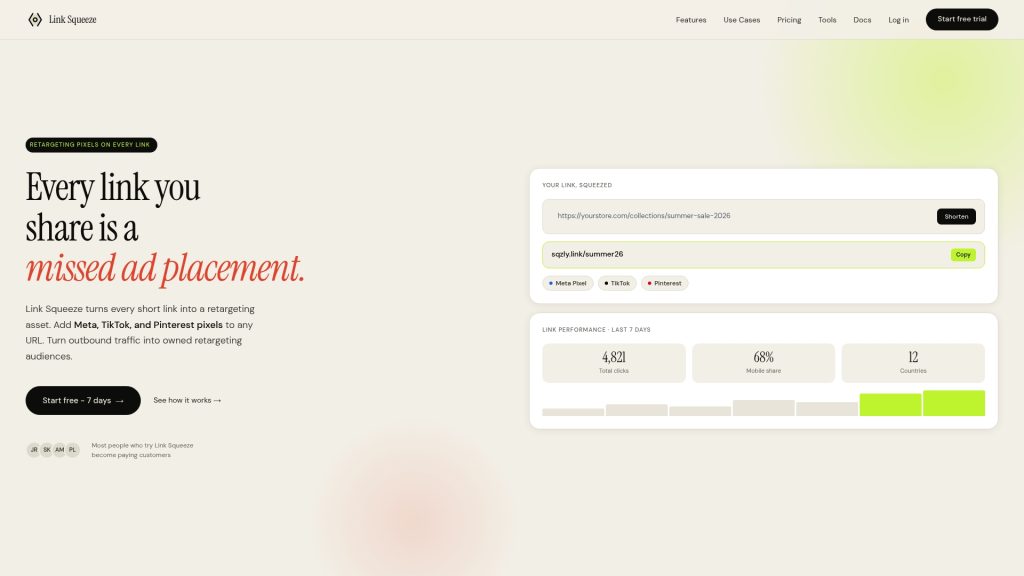
With Link Squeeze, you can create branded short links with custom slugs that reinforce your campaign messaging at every touchpoint. Add Meta, TikTok, or Pinterest retargeting pixels to every link you share, so every click builds your audience. The free link shortener and UTM builder give you clean, trackable URLs without the technical overhead. Shopify merchants get direct order attribution built in. For social media teams managing high-volume link campaigns, Link Squeeze’s social media manager tools connect slug-level clarity with pixel-level audience data.
FAQ
What is a URL slug in simple terms?
A URL slug is the readable text at the end of a web address that identifies a specific page. For example, in example.com/blog/seo-tips, the slug is seo-tips.
How long should a URL slug be?
A slug should be five to six words or fewer. Shorter slugs are easier to read, share, and index correctly by search engines.
Can I change a URL slug after publishing?
You can change a slug after publishing, but you must set a 301 redirect from the old URL to the new one. Without a redirect, the old URL returns a 404 error and loses all accumulated SEO value.
What is the difference between a slug and a permalink?
A slug is the editable final segment of a URL. A permalink is the complete web address for a page, including the domain, folder structure, and slug combined.
Should I include keywords in my URL slug?
Yes, include your primary keyword in the slug, but keep it readable. Avoid stuffing multiple keyword variations into one slug, as this reduces click-through rates and can appear spammy to search engines.