QR codes for businesses are digital gateways that connect physical materials to online experiences the moment a customer points a smartphone camera at them. The technical term is “Quick Response code,” a two-dimensional matrix barcode first developed by Denso Wave in 1994. Today, businesses use them to replace friction in every customer interaction, from restaurant menus to product packaging to payment terminals. Two code types dominate business use: static QR codes, which are fixed and free, and dynamic QR codes, which are editable and trackable. Choosing the right type, designing it correctly, and linking it to a well-built landing page determines whether your QR code campaign succeeds or gets ignored.
What are the main types of QR codes for businesses?
Static and dynamic QR codes serve different business needs, and picking the wrong one costs you data you can never recover.
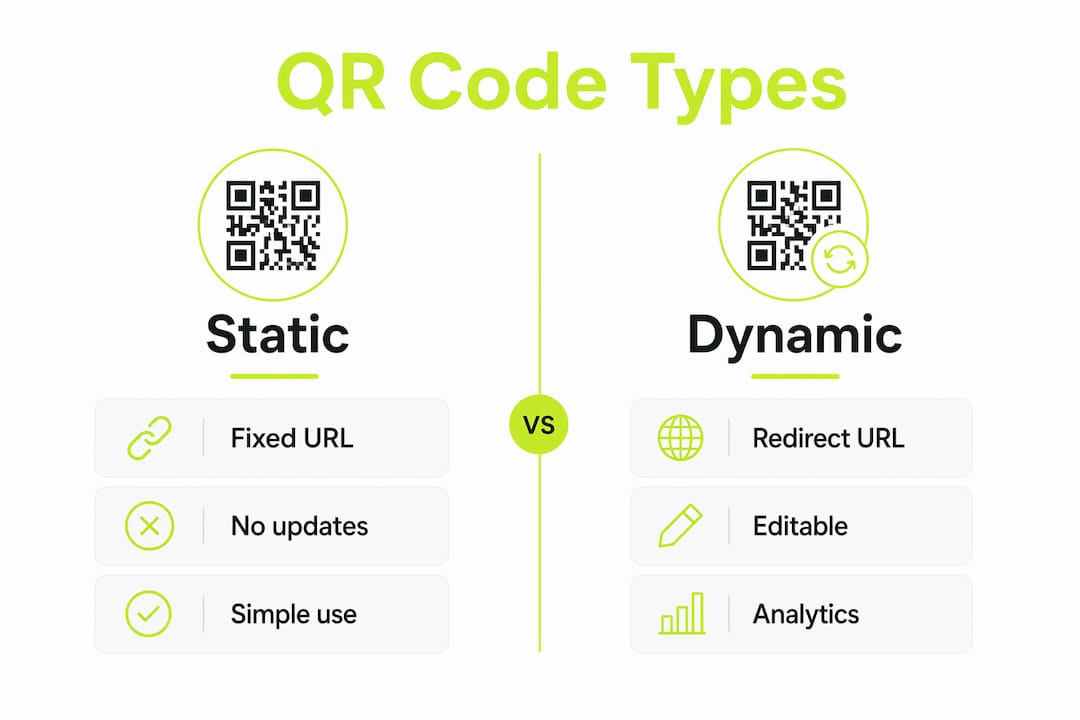
Static QR codes encode information directly into the pattern itself. Once printed, the destination cannot change. They work well for permanent content like a company address, a fixed product manual, or a Wi-Fi password that never rotates. Static codes are free to generate and require no subscription. The tradeoff is zero tracking. You will never know how many people scanned, where they were, or what device they used.

Dynamic QR codes store a short redirect URL in the pattern. You can update the destination at any time without reprinting. Dynamic QR code services typically range from $5 to $29 per month depending on code volume, with free entry tiers often available. That monthly cost buys you scan analytics, editable destinations, and campaign control that static codes simply cannot provide.
When to use each type
Use static codes for one-time print runs where the content will never change and tracking is irrelevant. Business card vCards, permanent signage, and product serial number lookups are good fits. Use dynamic codes for any campaign where you need to measure results, run A/B tests on landing pages, or update offers after printing.
Beyond the static/dynamic split, QR codes support several payload types worth knowing:
- vCard: Encodes contact information for instant phone book entry
- Wi-Fi: Shares network credentials without typing a password
- Multi-link: Routes to a page with multiple destination options
- Payment: Links directly to a payment processor or checkout page
- Menu/catalog: Points to a digital menu or product catalog that updates in real time
The multi-link payload is particularly underused. A single code on a restaurant table can direct customers to the menu, a loyalty program signup, and a Google review page, all with a single scan.
How can businesses design QR codes to maximize scan rates?
QR code design determines whether customers scan or scroll past. Poor execution is the leading cause of campaign failure, not the technology itself.
Follow size and contrast standards
Printed QR codes must be at least 1.18 x 1.18 inches (3cm x 3cm) for reliable scanning under various lighting conditions. Smaller codes fail on reflective surfaces and at any meaningful distance. For outdoor signage viewed from 10 feet away, scale the code up proportionally. A good rule: the minimum scan distance equals roughly 10 times the code’s width.
Contrast is equally critical. Black modules on a white background remain the most reliable combination. If your brand colors require a dark background, invert the code to light modules on dark. Never use two similar tones, such as dark gray on black, because scanners struggle to read low-contrast patterns.
Brand your QR codes without breaking them
Branded QR codes featuring logos and brand colors achieve higher scan rates because they build customer trust and appear as intentional brand elements. Adding a logo to the center of a QR code does not affect scan compatibility, provided sufficient contrast is maintained. QR codes include built-in error correction that compensates for up to 30% of the pattern being obscured. That is exactly the space a centered logo occupies.
Strong brand recognition signals to customers that the code is legitimate and worth scanning. An unbranded black-and-white square on a flyer reads as generic. A code with your logo and brand colors reads as a deliberate brand touchpoint.
The four design steps that prevent scan failure
- Set the minimum size at 1.18 x 1.18 inches for print, and scale up for any viewing distance beyond arm’s length.
- Maintain high contrast between modules and background, testing on both matte and glossy surfaces before printing.
- Add a clear call-to-action caption directly below or beside the code. “Scan to see today’s menu” outperforms a bare code every time.
- Test under real conditions including reflective surfaces, low lighting, and the expected scan distance before committing to a large print run.
Pro Tip: Generate your QR code at the highest resolution your design software supports, then scale it down. Upscaling a low-resolution code creates blurry edges that scanners misread.
What are the top use cases for QR codes in business?
The practical uses for QR codes span marketing, operations, and customer service. The best implementations solve a specific friction point rather than adding a code for its own sake.
Marketing and customer engagement
QR codes on packaging, receipts, and in-store displays drive customers to loyalty programs, product reviews, and promotional landing pages. A clothing retailer can print a code on the hang tag that links to a styling video. A food brand can link to allergen information and recipe ideas. These touchpoints extend the customer relationship beyond the point of sale.
Coupon delivery via QR code outperforms printed coupon codes because the destination updates dynamically. You can swap an expired offer for a new one without reprinting a single flyer.
Operations and hospitality
Wi-Fi QR codes that point to guest VLANs improve security while offering fast guest connectivity. Hotels, cafes, and coworking spaces use this approach to segment guest traffic from internal networks while eliminating the friction of reading a password off a card. Replacing manual Wi-Fi password entry saves an average of 45 seconds per interaction. Across hundreds of daily guests, that adds up to measurable staff time saved.
Business cards and events
vCard QR codes on business cards let contacts save your details with one scan instead of typing. Event organizers use QR codes for check-in, replacing paper lists with a scan-and-confirm workflow that cuts entry times significantly. Payment QR codes at point-of-sale terminals reduce checkout friction for customers who prefer digital wallets.
| Use case | QR code type | Primary benefit |
|---|---|---|
| Restaurant menu | Dynamic | Update items without reprinting |
| Guest Wi-Fi access | Static or dynamic | Instant connection, no password typing |
| Business card vCard | Static | One-scan contact save |
| Event check-in | Dynamic | Real-time attendance tracking |
| Product packaging | Dynamic | Updateable content and scan analytics |
| Coupon delivery | Dynamic | Swap offers without reprinting |
| Payment terminal | Static | Fast, contactless checkout |
How can businesses measure and optimize QR code effectiveness?
Measurement separates a QR code campaign from a QR code experiment. Without data, you cannot improve.
Dynamic QR codes feed scan data into analytics dashboards in real time. Scan analytics track location at the city level, device type, and scan time, all in an anonymous, privacy-compliant format. That data tells you which physical locations drive the most scans, whether your audience skews iOS or Android, and what time of day your codes get the most attention. Each of those signals informs your next campaign decision.
Use your own landing page, not a third-party URL
Business-owned landing pages should always be the QR code destination rather than direct links to third-party platforms. A landing page keeps customers in your brand environment and lets you add retargeting pixels, route visitors to chat or FAQ options, and collect first-party data. Linking directly to a third-party URL hands that customer relationship to another platform.
Mobile-friendly landing pages are not optional. QR code scans happen on mobile devices 100% of the time. A page that loads slowly or renders poorly on a phone loses the customer before they see your offer. The “three-second rule” applies: if the destination does not load and display correctly within three seconds, most users abandon.
Optimization checklist before any print run
- Confirm the landing page loads in under three seconds on a mobile connection
- Verify the page renders correctly on both iOS Safari and Android Chrome
- Check that the call-to-action on the page matches the promise on the physical material
- Set up UTM parameters on the destination URL to track campaign source in Google Analytics
- Test the code on three different smartphone models under the actual lighting conditions of the placement location
Pro Tip: Use link retargeting on your QR code landing pages to add scanned visitors to custom audiences on Meta, TikTok, or Pinterest. You paid to print the materials. You should also capture that audience for future campaigns.
After launch, review scan data weekly for the first month. Look for drop-off patterns by location or time. A code on a window that gets no scans after two weeks signals a placement problem, not a technology problem. Move it, resize it, or add a clearer call-to-action caption.
Link Squeeze and your QR code marketing strategy
QR codes generate the scan. What happens next determines your return on that investment.
Key Takeaways
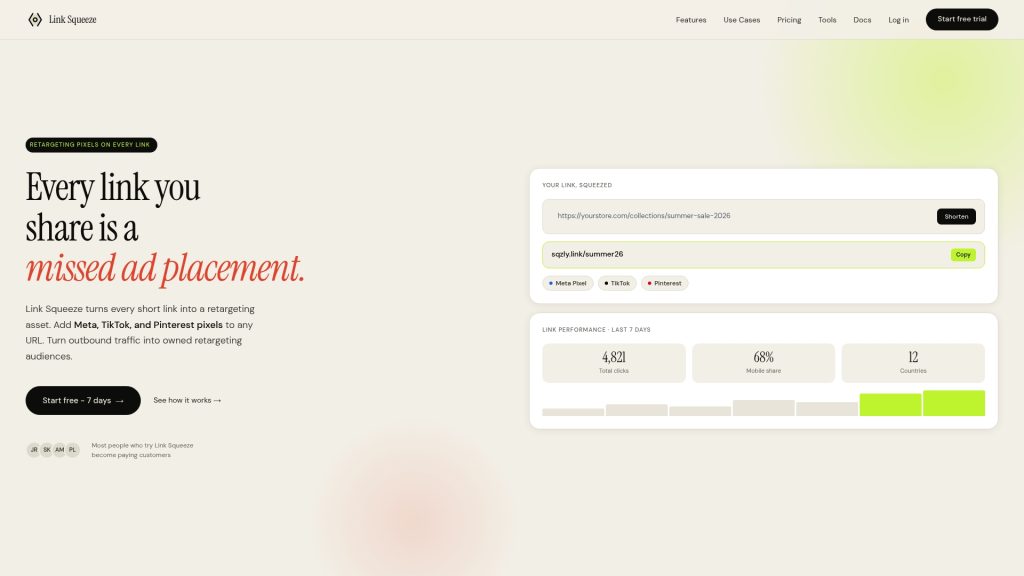
Link Squeeze gives marketers the tools to make every scan count. The platform’s free QR code generator creates branded codes tied to short links you control. Each plan also comes with unlimited QR codes that can be customised to your liking.
When a customer scans, Link Squeeze fires your retargeting pixels, including Meta, TikTok, and Pinterest, building your ad audiences automatically. You get scan analytics, branded vanity URLs, and full campaign control in one place. Shopify merchants benefit from direct integration that connects scan data to order attribution. Whether you manage social campaigns or run performance marketing, Link Squeeze’s tools for marketers turn every printed QR code into a measurable, retargetable marketing asset.
Dynamic QR codes with branded landing pages and retargeting pixels deliver the highest measurable return for business QR code campaigns.
| Point | Details |
|---|---|
| Choose dynamic over static | Dynamic codes let you update destinations and track scans without reprinting materials. |
| Meet the minimum size standard | Print QR codes at least 1.18 x 1.18 inches to guarantee reliable scanning in real conditions. |
| Brand your codes | Adding logos and brand colors increases scan rates and does not break scan compatibility when contrast is maintained. |
| Own your landing page | Send scans to a business-owned page to enable retargeting, data collection, and routing flexibility. |
| Measure and iterate | Review scan location, device, and time data weekly to identify placement and design improvements. |
FAQ
What is the difference between static and dynamic QR codes?
Static QR codes encode a fixed destination that cannot change after printing, while dynamic QR codes use a redirect URL you can update at any time. Dynamic codes also provide scan analytics; static codes provide none.
How big does a QR code need to be for reliable scanning?
Printed QR codes must be at least 1.18 x 1.18 inches (3cm x 3cm) for consistent scanning. Increase the size proportionally for any placement viewed from more than arm’s length.
Can I add my logo to a QR code without breaking it?
Yes. QR codes include error correction that compensates for up to 30% of the pattern being covered, which is enough space for a centered logo. High contrast between the code modules and the background must be maintained.
What should a QR code link to?
A business-owned landing page is the best destination. It keeps customers in your brand environment, supports retargeting pixels, and lets you route visitors to chat, FAQ, or other options rather than a single fixed endpoint.
How do I track QR code scan performance?
Use dynamic QR codes connected to an analytics platform. Key metrics include scan volume, city-level location, device type, and time of day. Add UTM parameters to the destination URL for full campaign attribution in Google Analytics.