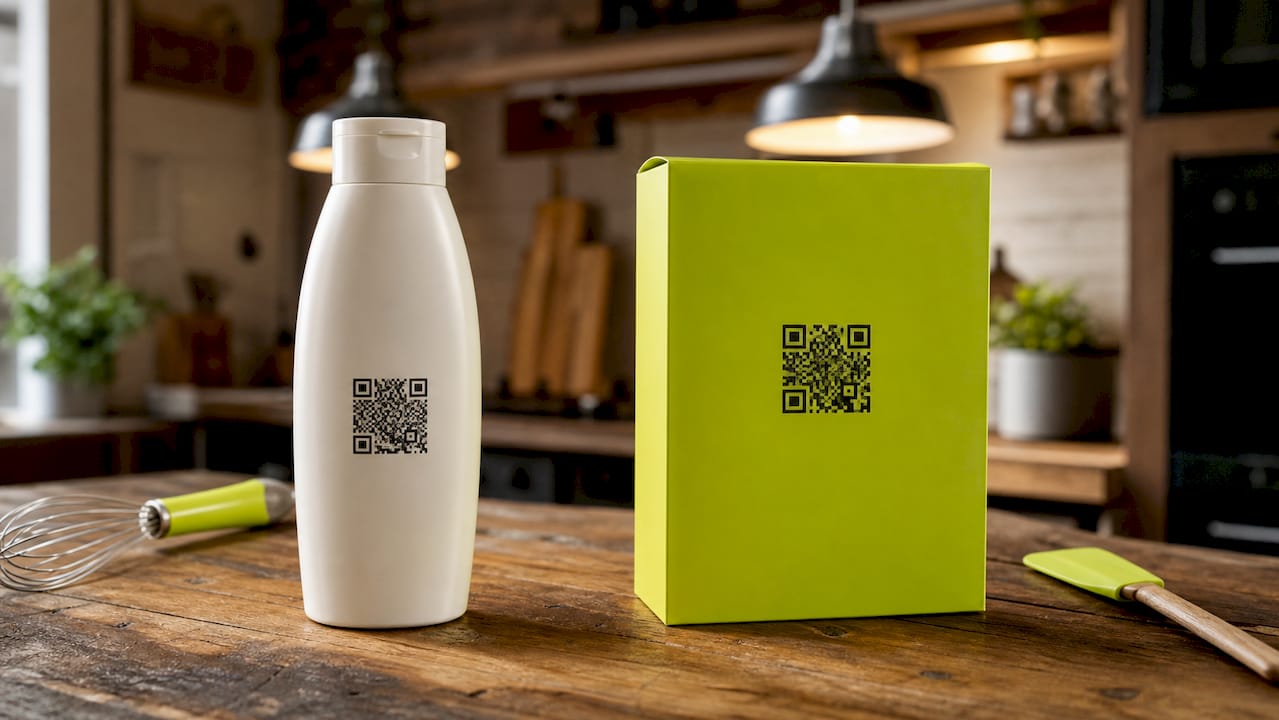
A QR code for products is a scannable matrix barcode that connects physical packaging or inserts directly to a digital destination, turning every product into a live marketing channel. QR code scans grew 328% year over year in 2025, with 72% of those scans originating from product packaging and marketing materials. That growth signals a fundamental shift: physical products are now the front door to your digital funnel. The industry standard driving this shift is GS1 Digital Link under ISO/IEC 18975, which enables a single QR code to serve both point-of-sale scanning and consumer engagement simultaneously.
What do you need before creating a QR code for products?
Getting your prerequisites right saves you from expensive reprints and broken links down the road. Three things matter most: the right standard, the right code type, and the right data inputs.
Standards and product identifiers
GS1 Digital Link is the required international format for product QR codes. It encodes a product’s Global Trade Item Number (GTIN) directly into the URL structure, so one code works at retail checkout and links consumers to your product page, warranty form, or loyalty program. If your products sell through major retailers or use UPC barcodes, GS1 Digital Link compliance is not optional. It is the baseline.
Static vs. dynamic QR codes
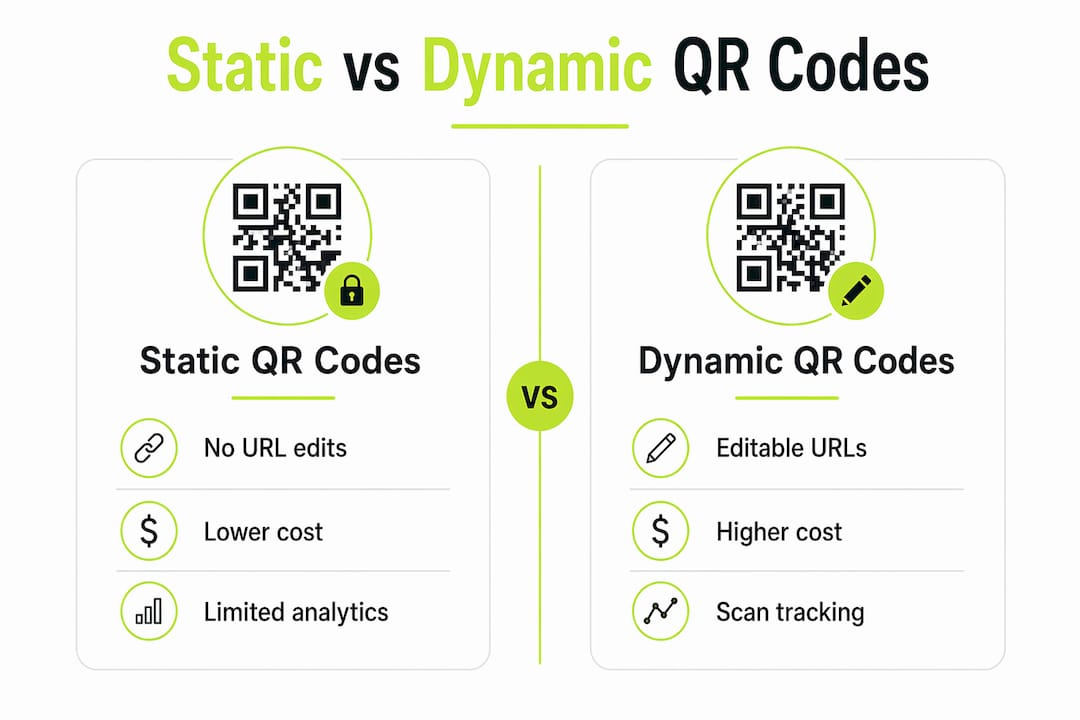
Static QR codes hardcode URLs into the printed pattern. Once printed, you cannot change the destination. That is a costly liability when a product has a two-year shelf life and your website URL changes after six months. Dynamic QR codes store a short redirect URL in the pattern and let you update the destination in real time through a management dashboard. For any product with a lifecycle longer than a single campaign, dynamic codes are the only practical choice.
Required data inputs and tool selection
Before generating any code, gather these inputs:
- Product identifier: GTIN, SKU, or internal product ID
- Destination URL: the landing page, loyalty form, or review request page the scan should reach
- UTM parameters: source, medium, and campaign tags so scan traffic appears correctly in your analytics
- Brand assets: logo files and hex colour codes for custom styling
- Placement specs: the minimum print size and contrast ratio for each packaging surface
A product QR code generator with a management dashboard lets you create, track, and update codes without touching your print files. Look for platforms that offer dynamic redirect control, scan analytics, and integration with your CRM or ecommerce platform. Link Squeeze’s free QR code generator covers dynamic code creation and pairs with branded short links for consistent cross-channel tracking.
| Feature | Static QR code | Dynamic QR code |
|---|---|---|
| URL editable after print | No | Yes |
| Scan analytics | No | Yes |
| Best for | One-time campaigns | Long-lived packaging |
| Risk level | High (dead links) | Low |
How do you generate and place QR codes on packaging?
Follow these six steps to go from concept to live code without common errors.
Define your scan destination goal. Decide what action you want the scan to trigger: a product information page, a loyalty program signup, a warranty registration, or a review request. Each goal needs a different landing page. Mixing goals on one destination page kills conversion.
Generate a dynamic QR code using a compliant generator. Use a platform that supports GS1 Digital Link if your products sell through retail. For direct-to-consumer ecommerce, a dynamic short link wrapped in a QR code works well. Removing friction through QR codes by linking physical packaging directly to digital content is a leading method for increasing customer engagement and purchase intent.
Customize appearance to match your brand. Add your logo to the center of the code, apply your brand colors to the finder patterns, and include a clear call to action below the code such as “Scan for 10% off your next order.” Keep the quiet zone (the white border around the code) intact. Removing it breaks scans.
Plan placement across all packaging touchpoints. The three essential ecommerce QR code touchpoints are the packaging insert, the packing slip, and the product itself. Each serves a distinct goal. The insert drives loyalty signups. The packing slip drives reviews. The product itself drives reorders or warranty registration. Place codes where a customer’s hand naturally rests when unboxing.
Test on real materials and multiple devices. Print a physical proof at the exact production size and scan it with at least three different smartphone models under varied lighting. Screen-printed codes on matte surfaces and foil-stamped codes on glossy surfaces both behave differently from a PDF proof. Test before you commit to a full print run.
Deploy with vendor agreements that guarantee code persistence. Service cancellation risks breaking QR code redirects on packaging unless your vendor guarantees redirect persistence. Get that guarantee in writing before printing thousands of units.
Pro Tip: Use a free UTM builder to pre-tag every QR destination URL before generating the code. This ensures scan traffic is correctly attributed in Google Analytics from day one, not retroactively patched.
What are the best practices and common mistakes with product QR codes?
Most QR code failures come from three avoidable mistakes: using static codes on long-lived packaging, sending scans to a generic homepage, and ignoring platform-specific restrictions.
Use dynamic codes and pre-filled destinations
Dynamic QR codes on packaging let you update URL destinations without reprinting, which prevents expensive dead codes when URLs or platforms change. Pair dynamic codes with pre-filled URL parameters on your destination forms. Pre-filling loyalty and review forms via URL parameters doubles conversion rates from scanned codes. A customer who scans and lands on a form with their email already filled in is far more likely to complete it.
Know your platform restrictions
Amazon Brand Registry policy restricts off-Amazon redirects from FBA packaging QR codes. Attempts to redirect off-Amazon from FBA outer-box QR codes can result in account suspension. However, QR codes on product care tags and warranty cards printed by manufacturers typically allow off-Amazon redirects, enabling deeper engagement outside the Amazon ecosystem.
This distinction matters enormously for brands that sell through both Amazon FBA and their own Shopify store. Put your off-Amazon QR codes on the product itself or on an insert inside the box, not on the outer shipping box.
Common mistakes that kill scan rates
- No call to action: A bare QR code with no surrounding text gets ignored. Tell people what they will get when they scan.
- Code too small: The minimum recommended print size is 2 cm × 2 cm (roughly 0.8 inches square). Smaller codes fail on low-resolution cameras.
- Poor contrast: Black on white works. Light gray on white does not. Test contrast before finalizing artwork.
- Broken links: A dead destination is worse than no QR code at all. Set up redirect monitoring so you get an alert if a destination URL returns a 404 error.
- No analytics: Without scan data, you cannot improve. Every code should fire a tracking event.
Pro Tip: QR codes in regulated sectors like cosmetics and food can disclose supply chain and recycling information without cluttering packaging. Use a secondary QR code for compliance content so your primary code stays focused on conversion.
How do you measure and improve QR code performance?
60–70% of brands report that QR code scan analytics provide unique insights into customer behavior at product interaction points, insights that traditional packaging cannot deliver. That data is only useful if you act on it.
Key metrics to track
| Metric | What it tells you |
|---|---|
| Scan volume by placement | Which touchpoint (insert, slip, product) drives the most engagement |
| Scan-to-conversion rate | How well your landing page turns a scan into a completed action |
| Scan time and location | When and where customers interact with your product post-purchase |
| Repeat scan rate | Whether customers return to the same code for ongoing value |
How to act on scan data
Start by comparing scan-to-conversion rates across your three touchpoints. QR codes on packing slips for review requests yield an 8–18% conversion rate, compared to the typical 1–3% from post-purchase emails. If your packing slip code is underperforming that benchmark, test a different call to action or a pre-filled form before changing the destination entirely.
Update dynamic QR destinations based on campaign timing. A code that points to a summer promotion in july should redirect to a loyalty signup in september without any reprint. This is the core advantage of dynamic codes and the reason static codes have no place in a long-term product strategy.
Combining branded shortlinks with QR codes creates a unified experience across physical and digital channels that drives higher conversion. When the URL a customer sees in a scan preview matches your brand name, trust increases and click-through rates follow. Use Link Squeeze’s link shortening tools to keep every QR destination URL branded and consistent across campaigns.
Integrate scan data with your CRM and marketing automation platform. A customer who scans a warranty registration code is a warm lead for an extended warranty upsell. A customer who scans a reorder code three times without converting needs a different offer. Scan behavior is purchase intent data. Treat it that way. For brands looking at real-world results from QR-driven campaigns, documented case studies show measurable lifts in consumer engagement when physical and digital channels are connected through tracked codes.
Link Squeeze makes QR code tracking work harder for you
Link Squeeze gives marketers a direct path from QR code scan to retargeting audience. Every branded short link you attach to a QR code destination can carry Meta, TikTok, or Pinterest retargeting pixels, so a customer who scans your packing slip code automatically enters your paid social audience. That means your packaging spend feeds your ad campaigns without any extra steps. Shopify merchants get native integration that ties scan data directly to order attribution. For marketers who want to connect physical product touchpoints to digital performance, Link Squeeze’s free marketing tools cover QR code generation, branded short links, UTM building, and real-time analytics in one place.
Key Takeaways
A QR code for products delivers measurable ROI only when it uses dynamic codes, branded short links, and scan analytics tied to specific conversion goals.
| Point | Details |
|---|---|
| Use dynamic codes on all packaging | Dynamic codes let you update destinations without reprinting, protecting your print investment. |
| Follow GS1 Digital Link for retail | ISO/IEC 18975 compliance enables a single code to work at POS and for consumer engagement. |
| Pre-fill destination forms | URL parameters that pre-fill loyalty or review forms double scan-to-conversion rates. |
| Know Amazon FBA restrictions | Place off-Amazon QR codes on the product or insert, never on the outer FBA shipping box. |
| Track every code with UTM tags | Scan data tied to UTM parameters reveals which touchpoints drive purchases and repeat behavior. |
FAQ
What is a QR code for products?
A QR code for products is a scannable barcode printed on packaging, inserts, or labels that links customers to a digital destination such as a product page, loyalty form, or review request. It turns physical packaging into a live marketing channel.
What is the difference between static and dynamic QR codes?
Static QR codes hardcode the destination URL into the printed pattern and cannot be changed after printing. Dynamic QR codes use a short redirect that you can update in real time, making them the only practical choice for product packaging with a long shelf life.
How do QR codes improve ecommerce conversion rates?
QR codes on packing slips for review requests convert at 8–18%, compared to 1–3% for post-purchase emails. Pre-filling destination forms with URL parameters doubles that rate further by reducing the steps a customer must complete.
Can I use QR codes on Amazon FBA packaging?
Amazon Brand Registry restricts off-Amazon redirects from FBA outer-box QR codes, and violations can lead to account suspension. QR codes placed on the product itself, care tags, or inserts inside the box are generally permitted to link to off-Amazon destinations.
How do I track QR code scans in my marketing analytics?
Add UTM parameters to every QR destination URL before generating the code. Pair those URLs with branded short links through a platform like Link Squeeze to capture scan volume, location, and conversion data in your analytics dashboard without manual tagging after the fact.